Kogniz Explained: What It Is, How It Works, Features, and What to Know
Kogniz is a California company that sells AI-based workplace safety and security software. Its main product, Kogniz AssureAI, analyzes camera and sensor data to flag possible hazards and security concerns, then helps teams manage the incident that follows. It’s aimed at organizations that already run security cameras and want more from them, such as industrial sites, campuses, and public facilities.
Public information about Kogniz is thin, though. There’s no published price list, and independent customer reviews are hard to find. What follows explains what the platform does, how it works, where the evidence is solid, and what to confirm with the company before you buy. Details come from the vendor’s reseller pages and software directories, so they’re treated as descriptions rather than tested results.
What Is Kogniz?
Kogniz is the name of both a company and, in most searches, its software. The company builds tools that watch camera and sensor feeds for workplace safety and security problems. Here’s the company first, then the product, then how it compares with older safety tools.
Kogniz as an AI and Computer Vision Company
Kogniz, Inc. was founded in 2016 and is based in Berkeley, California, with a development team in Montreal, according to its Built In profile. In June 2022, Preqin recorded a $10 million funding round that included Ulu Ventures. Other databases list different cumulative funding totals, so that single round is the only figure worth repeating. Kogniz describes its work as applying AI and computer vision to make workplaces safer and more secure. It’s a private company, and little else about its finances or customer base is publicly documented.
What Is Kogniz AssureAI?
AssureAI is Kogniz’s flagship product. According to its public-sector listing, it’s a SaaS platform that pairs incident management with computer vision and AI-driven insights. It focuses on three jobs: improving occupational safety, detecting workplace violence, and managing evacuations and personnel accountability. A GetApp listing adds that the platform applies AI to visual, text, and sensor data, including camera video, audio sensors, and National Weather Service notices. Kogniz also calls the approach predictive. That’s marketing language, and no independent evidence of its predictive performance turned up.
How Kogniz Differs from Traditional Workplace Safety Software
Traditional EHS (environmental, health, and safety) software is mostly a system of record. It tracks inspections, audits, training, and incident reports that people enter by hand. Kogniz starts somewhere else: it looks at what cameras and sensors capture and raises a flag when something matches a rule. It also includes incident management and connects to EHS systems, so the two approaches can work side by side rather than compete directly.
How Does Kogniz Work?
At a high level, Kogniz connects to cameras and other data sources, analyzes what they capture, and alerts people when something looks wrong. Real-time video analytics and machine learning do the watching. People still decide what to do next.
The company doesn’t publish a full technical guide, so treat the mechanics below as a general picture. Setup details vary by customer.
Collecting Data Through Cameras and Sensors
Cameras are the main input. Kogniz also describes using other sensors, such as audio devices, and outside information like weather notices. What a given site actually feeds into the platform depends on its equipment and the modules it buys. A facility with a handful of cameras will have a very different data picture from a campus with access-control systems and sensor networks.
How Kogniz Connects with Existing Camera Infrastructure
If you already have security cameras, the obvious question is whether you can reuse them. Kogniz Cortex is described as bringing AssureAI to any IP surveillance camera, with up to 10 cameras supported per device. That wording suggests a small processing unit handling video near the cameras, which fits the platform’s mix of edge processing and cloud software. Whether a Cortex device is required in every deployment isn’t spelled out publicly. Older analog CCTV systems also often need conversion before IP-based analytics can use them, so ask about camera models, resolution, and network capacity before assuming anything carries over.
Using AI and Computer Vision to Identify Potential Risks
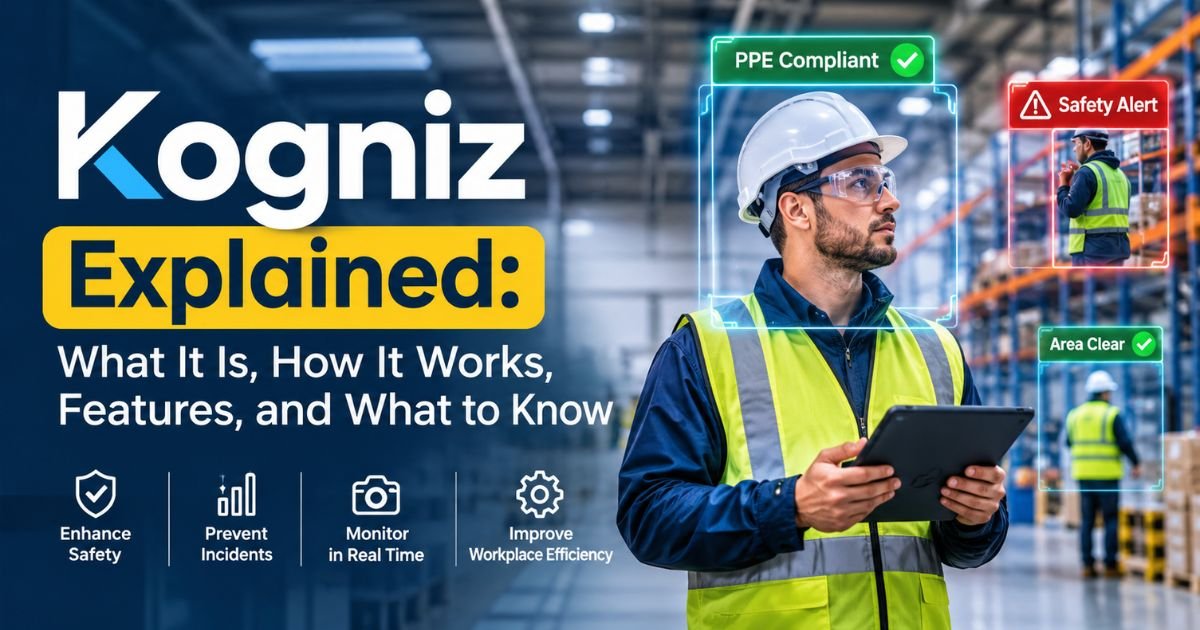
Computer vision models are trained to recognize people, objects, and movement in video. The software then compares what it sees against rules a site has set, such as a person entering a marked zone without a hard hat, or someone lingering after hours. Documented Kogniz detection categories include PPE, occupancy and person counting, person and object recognition, after-hours detection, and loitering. How well any of this works depends on lighting, camera angles, and tuning. No independent accuracy figures were found, so performance is something to test during a pilot rather than assume.
Generating Alerts and Supporting Incident Response
When a rule is triggered, the system notifies the people responsible, such as a safety manager or a security desk. The point is to replace constant screen-watching with alerts that point to specific moments. Which channels Kogniz supports and how alert rules get configured aren’t described in public sources. Ask for a demonstration of the alert experience itself, including what a supervisor would see on a phone or dashboard.
What Happens When the AI Detects a Safety Incident?
Kogniz hasn’t published its exact workflow, but incident-detection systems in this category usually follow a similar path:
- The system flags an event that matches a rule.
- An alert goes to the assigned person or team.
- A human reviews the clip or data and decides whether the event is real.
- If it is, the team responds, whether that means stopping a task, sending security, or starting an evacuation.
- The event is logged as an incident record for follow-up and reporting.
Step three matters most. False alarms happen with any computer vision system, so human review is part of the design rather than a flaw.
Read More About : What Is pixelspinx com? The Honest Deep Dive You Actually Need in 2026
Key Features of Kogniz
The features below come from Kogniz’s reseller pages and software directories. Modules vary by customer, so confirm what’s currently sold and what your deployment would include.
AI-Powered Workplace Safety Monitoring
This is the umbrella capability: software that keeps watching for conditions that could injure people, instead of relying on someone to spot them. Directory listings point to occupational safety uses such as forklift accidents and slips, trips, and falls. The specific detections are listed in the sections that follow.
Computer Vision and Object Detection
Kogniz uses computer vision to recognize people and objects in video. Its Cortex product lists person recognition and object recognition among its physical security features. A CB Insights profile describes the company’s technology as using facial and object recognition, but Kogniz’s own public materials reviewed here don’t explain facial matching. If that matters for privacy reasons, ask directly whether faces are identified and stored.
PPE and Occupancy Monitoring
PPE monitoring checks whether people in a camera’s view are wearing required gear such as hard hats or vests. Occupancy monitoring and person counting track how many people are in a room, zone, or building. Kogniz Cortex lists PPE enforcement, occupancy monitoring, and person counting among its capabilities. In a plant, that could mean catching a missing hard hat in a marked area. In an office, it could mean knowing when a room is over its headcount limit. The supported PPE types aren’t published, so ask for the list.
Workplace Violence and Threat Detection
Directory listings describe a workplace violence and asset-loss prevention module that includes gun detection, unattended baggage scanning, active shooter alerts, and perimeter monitoring. Treat these as vendor-described capabilities. No independent accuracy testing was found, and alerts of this kind typically need human verification before anyone acts. The software can shorten the time it takes to notice a possible threat. It can’t promise to prevent one.
Incident Management and Reporting
Beyond detection, AssureAI includes incident management: a place to log events, track follow-up, and report on what happened. For safety teams, that record can support internal reviews and recordkeeping. It doesn’t make an employer compliant with OSHA rules on its own, since those still depend on the employer’s safety programs and procedures. Report formats and export options aren’t detailed in public materials.
Evacuation and Personnel Accountability
The platform is also described as handling emergency evacuation management and personnel accountability. In plain terms, that means knowing who is inside a building and who has reached a safe assembly point. How the headcount works in practice, whether through cameras, access-control data, or both, isn’t spelled out publicly. If emergency accountability is your main reason for looking at Kogniz, make it the first thing you test in a demo.
Integrations with Existing Business Systems
Kogniz lists integration areas for HR, EHS, access control, and timesheet management. Capterra names ten platforms: Axis, Cisco Meraki, Kronos Workforce Central, Microsoft Power BI, Samsung SDS, ServiceNow, Slack, Snowflake, Tableau, and Workday HCM. Those listings come from a directory, not technical documentation. Confirm which integrations are native, which need custom work, and whether any cost extra.
What Is Kogniz Used For?
G2 says manufacturing, entertainment, government, and higher education organizations use Kogniz AssureAI. No named customer case studies turned up in the sources reviewed. The scenarios below show where documented features could fit, and they flag where the evidence is thin.
Manufacturing and Industrial Workplace Safety
Industrial sites are the clearest fit. PPE rules, restricted areas, and heavy equipment all show up on camera. A system like this could flag a worker entering a marked zone without required gear and log the event for the safety team. That can feed an occupational risk assessment and an industrial safety management program. It doesn’t replace either one.
Warehouse and Forklift Accident Prevention
Directory listings include forklift accidents and slips, trips, and falls among the hazards Kogniz targets. Forklift and pedestrian collisions are a well-known warehouse risk, and camera analytics can in theory flag close approaches between vehicles and people. How Kogniz handles this specific scenario, including how quickly alerts fire, isn’t publicly documented. Ask for a walkthrough using footage from your own aisles and loading areas.
Retail and Commercial Security
Cortex lists after-hours detection, loitering alerts, and person and object recognition, and directory listings add unattended baggage scanning. Those features fit stores, offices, and commercial buildings that want security alerts from cameras they already own. No named retail deployments turned up in the sources reviewed, so this is a plausible application rather than a documented one.
Healthcare and Public Facilities
Public-sector use has better support than healthcare. Kogniz appears on a government reseller’s page, and G2 names government and higher education as customer types. Earlier offerings included pandemic-era tools such as social-distancing cameras, contact-tracing wearables, and vaccine management, and whether those are still sold is unclear. Direct evidence of hospital or clinic deployments wasn’t found.
Workplace Violence Prevention and Emergency Response
Think of Kogniz here as one layer in a larger plan. Detection could shorten the gap between an event and awareness, and accountability tools could help teams account for people during an evacuation. Response still depends on trained staff, clear procedures, and coordination with local emergency services. A flag about a possible threat is only useful if everyone knows what to do next.
Read More About : Robthecoins Blockchain: Features, Benefits & Complete Guide (2026)
Benefits of Using Kogniz
No published case study or independent study measures Kogniz’s results. The benefits below describe what the technology is designed to offer, not proven outcomes.
Earlier Identification of Potential Safety Risks
Automated monitoring can watch every connected camera at once, which people can’t. In theory, workplace hazard detection then happens closer to the moment a risk appears, such as someone stepping into a restricted area. The benefit holds only if detection is accurate enough that teams trust the alerts.
Improved Incident Monitoring and Response
Automated safety alerts can point a supervisor to a specific event instead of hours of footage. That saves search time and can speed up the first response. A central incident record also helps teams see what was done and when.
Better Workplace Safety Oversight
Managers who oversee several areas or sites get a shared view of events and trends, such as which zones keep generating alerts. That helps with prioritizing training and fixes. It’s a reporting benefit, separate from how fast something gets detected.
Integration with Existing Infrastructure
Reusing existing IP cameras may cut down on new hardware, and links to HR, EHS, and access-control systems can reduce manual data entry between teams. Both benefits depend on what your current setup includes, so check compatibility before counting on them.
Kogniz Pricing: How Much Does It Cost?
Kogniz doesn’t publish its pricing. As of early November 2026, none of the vendor pages or directory listings reviewed showed a price, plan tier, or calculator. Everything points to custom quotes.
Is Kogniz Pricing Publicly Available?
No. Directory profiles direct interested buyers to contact the company. Estimates you may see on third-party sites aren’t confirmed by Kogniz, so treat them cautiously. The company’s website is the place to check for any change.
What Factors May Affect Implementation Costs?
These are typical cost drivers for this kind of software, not figures confirmed by Kogniz:
- Number of cameras and monitored locations
- Which modules you choose, such as safety monitoring, violence detection, or accountability
- Any edge devices or other hardware
- Integrations with HR, EHS, or access-control systems
- Installation, configuration, and training
- Support and maintenance terms
Implementation and Deployment Considerations
Cost isn’t only the license. Network bandwidth, camera placement and lighting, privacy and legal review, and staff training all take time and money. Kogniz says the platform can be implemented in days, but that’s a vendor claim. Your timeline will depend on camera count, site layout, and integration needs.
How to Request a Demo or Pricing Quote
A practical path looks like this:
- Contact Kogniz through its official website. Public-sector buyers may also go through the reseller listed on Carahsoft’s Kogniz page.
- Gather your camera count, camera models, site list, and top safety concerns before the call.
- Ask for a demo using footage from your own site, and ask whether a pilot is available.
- Request a written quote that separates licensing, hardware, installation, integrations, and support.
Read More About : Research Dossier for Target Company: Essential Guide to Smarter Business Research in 2026
Kogniz Reviews: What Do Users and Independent Sources Say?
Little public feedback exists for Kogniz. That’s common for business-to-business safety software sold through demos and contracts, but it means star ratings can’t guide your decision. Nothing here comes from hands-on testing.
Customer Reviews and Available Ratings
As of early November 2026, G2’s Kogniz AssureAI page showed no ratings. Capterra’s listing focuses on features and integrations. Check each page for reviews posted since, because counts can change.
What Third-Party Software Directories Report
Directories such as Capterra, GetApp, and Software Advice describe features, integrations, and categories. Capterra’s page was last updated on March 13, 2026. These profiles read as vendor-supplied summaries, and several share near-identical descriptions. They confirm what Kogniz says about itself, not how the product performs. One other directory carries an unclaimed profile with generic, unattributed commentary, which isn’t evidence either.
Limitations of the Available Review Evidence
Enterprise safety software is bought through sales cycles, and customers rarely post public reviews. Missing reviews aren’t a warning sign by themselves, but they remove a common check. To fill the gap, ask Kogniz for reference customers in your industry, run a pilot on your own cameras, and talk to peers at organizations with similar setups.
Is Kogniz Safe and Reliable?
Whether Kogniz is safe depends on what you mean by the word. Public evidence shows an identifiable company with documented funding and a listing with a government reseller. Evidence about data handling, accuracy, and security certifications is limited, so a verdict isn’t possible without vendor documentation. The sections below turn the question into things you can check. This is general information, not legal advice.
Data Privacy and Workplace Surveillance
Workplace surveillance privacy is the biggest employee-relations issue with any camera analytics tool. Rules on notice and consent vary by state, and some states regulate biometric data such as face scans, so involve legal counsel before deployment. Ask Kogniz what data it stores, where it’s stored, how long it’s kept, who can view it, whether it identifies people by face, and how employees are informed. Employee data protection should be written into any rollout plan.
AI Detection Accuracy and False Positives
Every computer vision system produces some false alarms and some misses. Poor lighting, blocked views, and awkward camera angles make both worse. No independent accuracy data was found for Kogniz, so ask for pilot metrics from your own site. Plan for false alarm management too: who reviews alerts, how fast, and how rules get tuned over time.
Security, Compliance, and Vendor Verification
Some things can be verified publicly, including the company’s funding history and its listing with a government reseller. Others have to be requested, such as security documentation, hosting and encryption details, and compliance attestations. Don’t assume certifications exist. Ask to see the reports, and ask for customer references you can call.
Can AI Monitoring Replace Human Safety Teams?
No. AI can flag events, but people verify, investigate, and decide. Using a monitoring tool also doesn’t transfer an employer’s responsibilities under OSHA or other safety rules. Think of Kogniz as an extra set of eyes for safety and security teams.
Read More About : FintechZoom. io: Market Data, Tools and Finance Coverage Explained
Kogniz Pros and Cons
This is a quick summary of points covered above, based only on what the sources support.
Potential Advantages of the Platform
- Combines AI detection with incident management in one platform
- Described as working with existing IP cameras through Cortex
- Covers several areas, including PPE, occupancy, forklift hazards, threat detection, and evacuation accountability
- Lists ten integrations, including ServiceNow, Workday, and Microsoft Power BI
- An identifiable company with documented funding and a public-sector reseller
Limitations and Areas Buyers Should Evaluate
- No public pricing
- Few independent reviews
- No independent accuracy data
- Hardware requirements and multi-site support aren’t publicly confirmed
- Privacy and employee-notice obligations need review
- The current product lineup should be confirmed, since older offerings still appear in listings
Kogniz Alternatives: What Should Businesses Compare?
People researching Kogniz reviews and alternatives often find two different kinds of products mixed together. They solve different problems, so pick the category first.
Workplace Safety Management Software
Safety-management platforms such as Cority, Evotix, HSI Donesafe, and SafetyCulture focus on inspections, audits, incident reports, training, and compliance records. They suit teams whose main need is documentation and workflow rather than video analysis. They don’t watch camera feeds, though many can sit alongside a detection tool. Product lines and ownership change, so confirm current features with each vendor.
AI Video Surveillance and Analytics Platforms
AI video and security analytics platforms such as Verkada, Spot AI, and Ambient.ai analyze camera footage for security or operational events. Many lean toward physical security rather than workplace safety specifically, and some are tied to their own camera hardware. Scope differs a lot, so compare them against your exact use case. These names are examples, not rankings, and none was evaluated for this article.
What to Consider When Choosing an Alternative
When you compare workplace safety technology, check these points for every vendor, Kogniz included:
- Camera compatibility and any required hardware
- Which detections are offered, and what proof of accuracy exists
- How alerts are handled, and what tools exist for reducing false alarms
- Integrations with your HR, EHS, and access-control systems
- Deployment model, such as cloud, edge, or a mix
- Privacy controls, data retention, and security documentation
- Pilot options, support, and pricing transparency
Who Should Consider Using Kogniz?
Fit depends on what you already have and what you need most.
Businesses That May Benefit from Kogniz
Organizations that already run IP cameras and want hazard detection, incident tracking, and emergency accountability in one system are the closest fit. Industrial sites, warehouses, campuses, and public facilities are the examples the vendor’s materials and directories point to. Larger buyers that can run a structured pilot are better placed to judge value than those relying on public information alone.
Situations Where Another Solution May Be More Suitable
Another option may suit you better if you mainly need inspection checklists and compliance records, if your policies or local rules limit video monitoring, or if you need published pricing to build a budget. Very small operations should also ask whether quote-based software makes sense at their scale.
Frequently Asked Questions About Kogniz
Is Kogniz an AI-Powered Software Platform?
Yes. Kogniz describes AssureAI as a cloud-based platform that applies AI and computer vision to workplace safety and security, with incident management built in.
Does Kogniz Offer a Free Trial?
No free trial turned up in the sources reviewed. Ask the company about a demo or a pilot.
How Much Does Kogniz Cost?
Kogniz doesn’t publish pricing, and quotes appear to be custom. See the pricing section above for what affects cost and how to request a quote.
Does Kogniz Support Existing Security Cameras?
Kogniz Cortex is described as compatible with any IP surveillance camera. Confirm specific camera models and network requirements with the company.
Does Kogniz Require New Camera Hardware?
Not necessarily for the cameras themselves, since existing IP cameras are described as supported. A Cortex device may be part of the setup, and public sources don’t say whether it’s always required.
Can Kogniz Monitor Multiple Workplace Locations?
Public sources don’t detail multi-site setups. Government and higher education organizations are among its listed users, but ask Kogniz how multiple locations are managed.
Does Kogniz Use AI for Workplace Violence Detection?
Yes, its listed features include gun detection, unattended baggage scanning, active shooter alerts, and perimeter monitoring. Independent accuracy data wasn’t found.
Are There Verified Kogniz Customer Reviews?
None turned up on the platforms checked in early November 2026. See the reviews section above for what was and wasn’t available.
Is Kogniz Suitable for Small Businesses?
That isn’t confirmed. It depends on pricing, hardware, and setup requirements that aren’t public, so ask for a quote before deciding.
Who Are Kogniz’s Competitors?
Competitors fall into two groups: safety-management software and AI video analytics platforms. The alternatives section above covers both.
Conclusion
Kogniz is a Berkeley-based company whose AssureAI platform applies computer vision and incident management to workplace safety and security. Its documented strengths are the pairing of detection with case tracking, described support for existing IP cameras, and a list of enterprise integrations. What’s missing publicly matters just as much: pricing, independent reviews, and accuracy data.
If Kogniz is on your shortlist, the next step is a conversation rather than more reading. Ask for a demo on footage from your own site, a written quote that covers hardware and integrations, security documentation, and customer references in your industry. Then compare the answers with one or two alternatives from the right category. Check kogniz.com for current details, since product lineups and pricing can change.